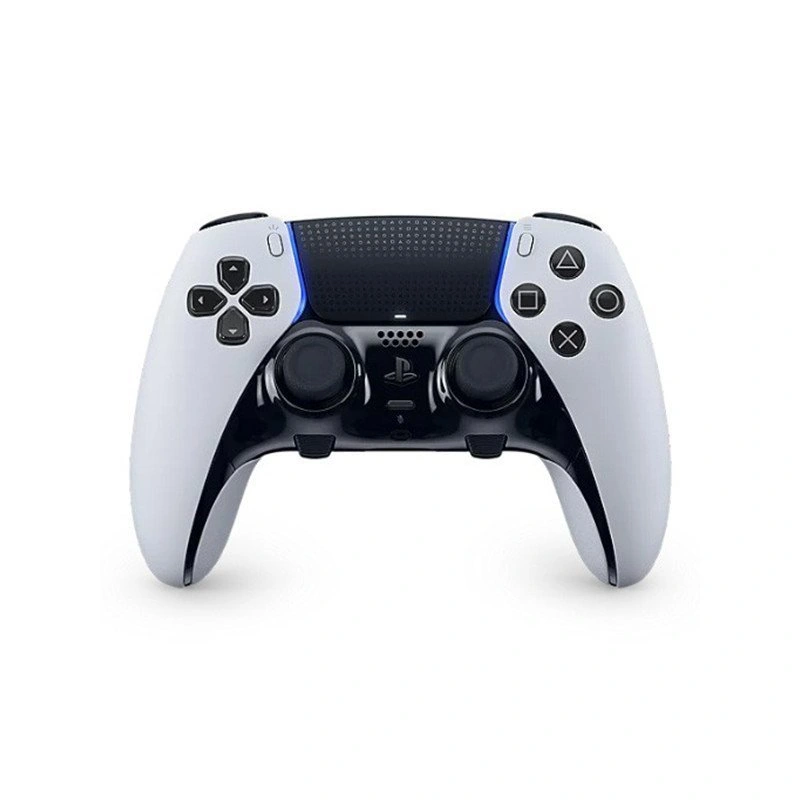
5 Playstation 5 DualSense Edge wireless controller
الوصف
Enhance your gameplay with custom controls and swappable profiles that prepare you for anything—from pro-level tournaments to epic single-player adventures.
Personalized settings make the DualSense Edge Wireless Controller uniquely yours. Explore some of the key control features through the pulse icons below.
Customizable Player Profiles
Quick-Access Profile Settings Menu
Simply press the Fn button and the Options button during gameplay to open the customization menu, where you can quickly adjust your settings.
Remappable Buttons
Customize your control layout in your favorite games so the commands you need are always right where you want them. Save your custom button configurations to player profiles and switch between them without exiting your game.
Adjustable Trigger Stops, Stick Sensitivity, and Vibration Intensity
Fine-tune stick sensitivity, dead zones, and trigger ranges for precise input adjustments. You can also tweak vibration intensity for a fully personalized gaming experience.
Quick Swap Between Control Profiles
Once you've found your perfect control setup, save it to unique control profiles and easily switch between them mid-game, so your favorite configurations are always ready when you need them.
Built-In DualSense Wireless Controller Features
Enjoy all the immersive features of the original DualSense Wireless Controller, including haptic feedback, adaptive triggers, built-in microphone, motion controls, and more in supported games.
Unique Comfort with Non-Slip Inner Grips
Experience the same signature comfort of the original DualSense Wireless Controller, now with improved non-slip inner grips—ideal for long single-player sessions and staying comfortable during intense competitive play.
Compatible with the DualSense Charging Station
Keep two controllers fully charged—including the DualSense Edge Wireless Controller—with the quick and easy click-in design of the DualSense Charging Station, available for purchase now.